
 Support
 Login
Login

 English
 Svenska
 Norsk
Norsk Nederlands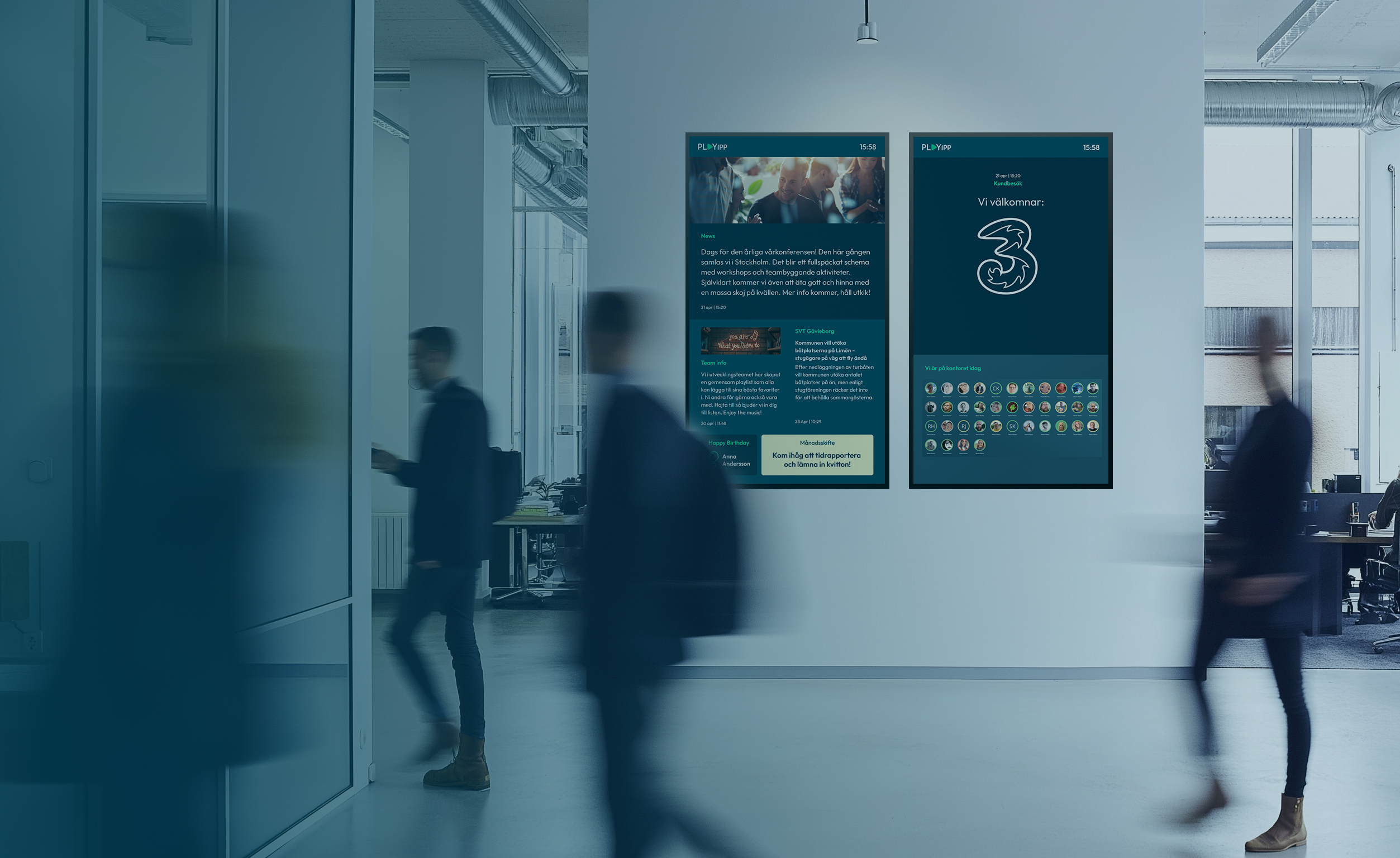
A guide for those who want to reach their employees in a smooth and effective way
How to Strengthen Internal Communication with Digital Signage
TL;DR:
- Digital signage strengthens internal communication by making messages visible and timely
- Screens complement intranet and email, especially for non-desk employees
- Used well, digital screens support engagement, clarity, and a stronger workplace culture
Why internal communication is more important than ever
In this article, we’ll show you how digital screens can strengthen your internal communication. Because internal communication is about more than just informing, it’s about creating a sense of belonging, clarity, and purpose at work. When we communicate effectively, at the right time and in the right way, we build stronger engagement and a workplace where everyone feels involved. This is evident in employees’ motivation, pride, and desire to contribute to the organization’s goals.
Internal comms refers to the overall messaging strategy and communication planning within organizations, ensuring that information is aligned and consistently delivered across all channels.
And there’s a lot to gain: better workflows, fewer misunderstandings, and a stronger culture. Communication is the foundation on which so much else rests. A well-defined internal communications strategy is essential, and digital signage can be seamlessly integrated into this strategy to improve employee engagement and ensure consistent messaging across multiple locations. Workplace digital signage is a modern tool that enhances communication, promotes company culture, and delivers real-time alerts, making it easier to connect and recognize employees while supporting safety.


Digital screens complement and strengthen internal communication
Digital screens aren’t just tech on a wall. They are a powerful extension of your communication – a channel that captures attention. Internal digital signage and digital displays are now key tools for modern internal communication, enhancing message visibility and operational efficiency. While intranets and emails are important, not everyone has the time or opportunity to access that information during their workday. But screens are present where people move: in the break room, at the entrance, on the production floor, or in the hallway.
This is where internal screens show their real value. They remind, inform, and inspire without requiring a login or a computer. And with the right content, they can do so much more than just show news:
- Visualize goals and results so that teams can see their progress
- Issue alerts during disruptions or show safety procedures when needed
- Strengthen culture and unity by recognizing employees
- Display practical, daily information like bus schedules or available meeting rooms
Digital screens can also act as a bridge to the intranet. Add a QR code to a news item where employees can read more, and increase intranet usage that way.
 Customer Story
Tre – success through playful communication
By implementing digital signage, Tre has created a more dynamic work environment and increased employee engagement. The screens are not only used to share important information but also to engage employees through interactive and playful content such as “Word of the Day” or “Find Klas.” Featuring employee generated content on the screens further boosts engagement and makes the content more relatable. By showcasing employee milestones and achievements, digital signage also fosters a sense of community and belonging within the workplace. By tailoring content to different departments and presenting it in a playful way, Tre sees higher engagement.
“We’ve really noticed that our employees engage more when we use the screens in a playful way. It creates a more enjoyable work environment and makes more people actually look at the screens”
Henric Olsson
Intranet Manager, Tre

Four reasons to add digital screens to your internal communication


1. You control what is shown and where

2. You reach more people, even those without a computer

3. You can automatically fill screens with content

4. You drive engagement through visually appealing content
Common challenges and how digital screens can help
Many internal communicators struggle to reach employees. Some still rely on bulletin boards or email newsletters that often go unnoticed. And statistics make it clear: only 14% of employees feel truly engaged in their work. Often, this low engagement stems from a lack of clear and accessible communication.
Digital signage isn’t a silver bullet, but it is a powerful complement. You reach groups that are otherwise often missed. You create a sense of “being part of something” even for those without access to email or the intranet. And you make communication more lively, timely, and engaging.

Tips to make communication easier and more effective
Push and pull – combine both to reach your audience
Some information should be pushed directly to employees, while other content should encourage curiosity. Push is for urgent messages like new policies, fire drills, or event dates. It must be seen right away.
Pull content, on the other hand, invites engagement. A QR code might link to a quiz, training video, or Wi-Fi password update on the intranet. The combination of push and pull helps you inform and involve.


Local and central editors – structure with flexibility
Employees want relevant information. Combine centralized communication with localized content. With PLAYipp, you can control who updates what – even down to screen level.
That means you can have:
- Centrally managed content that goes to the whole organization
- Local managers or editors who can publish relevant local content
- Divided screens with different areas and access rights
 Customer story
DB Schenker – a more effecient working process
DB Schenker has successfully centralized and simplified internal communication using digital screens. This has improved workflows and productivity. The centralized control has led to consistent, structured messaging across the organization, while local admins retain the freedom to tailor content. This setup has also improved access to information for employees without intranet access.
“It’s incredibly convenient to just log in to PLAYipp, upload a new PDF, and immediately display it across all six screens”
Oscar Jörgensen
System administrator, DB Schenker


Measuring & feedback – learn what works
Understanding what works in your internal communication is essential for long-term success. But insights only help if you ask the right questions and act on the answers.
Pulse surveys or employee feedback can reveal:
- How communication is perceived
- Whether employees get the info they need, when and how they need it
- If they feel included and informed
Example questions to ask:
- Do you feel well-informed about what’s happening in the organization?
- What channel do you primarily use to access internal information?
- Is the information easy to understand?
Frequently Asked Questions about Digital Signage
Can I control who publishes what?
Yes! With PLAYipp’s user rights system, you can define exactly who can publish to which screen or even to specific areas on a screen. This creates structure and allows more people to contribute without losing control.
Does it work with our intranet?
Absolutely! PLAYipp integrates with major intranet providers like SharePoint, Omnia, Spintr, and more. You can reuse content you’ve already published without duplicating effort. Intranet news can be automatically displayed on screens, saving time and increasing visibility.
Can you help us with design?
Of course! Our Customer Success team are screen content experts – from layout and readability to color and branding. We offer a library of templates, and design help packages if you want custom designs. We also provide training to get you started with screen content.
Will it work with our existing screens?
Most likely, yes! PLAYipp works with most modern displays. If your screen doesn’t support digital signage, you can easily add a media player (PLAYport) from us. That way, you don’t need to replace your hardware unnecessarily.
What if the screen loses internet connection?
No problem. The screen will continue displaying the latest content it downloaded. When the connection returns, it updates automatically. You get continuity and peace of mind, even with network interruptions.
Is the system easy to learn?
Very! PLAYipp is built to be user-friendly. You get access to guides, videos, and training. And our Customer Success team is always ready to help. Working with digital signage should be fun and easy.
Do you want to know more about PLAYipp?
Contact us today, we are experts on digital signage and communication.
 Login
Login