
 Support
 Login
Login

 English
 Svenska
 Norsk
Norsk Nederlands
TL;DR
- A solid integration strategy helps you scale your digital signage without piling on extra work
- Integrations keep content up to date by pulling from the systems you already use, like intranets, inventory, calendars, timetables and more
- The best results come from clear ownership, centralized management, and local flexibility
- A digital signage systems integrator can help when you need hardware, installation and rollout support across multiple locations
- Platforms like PLAYipp focus on usability and integrations, so communication teams can publish and manage content at scale
Introduction to digital signage
Digital signage is changing the way organizations communicate, inform, and engage with their audiences. At its core, digital signage uses digital displays, such as LED screens, LCD panels and interactive kiosks, to deliver dynamic content in real time. Whether you’re managing a single location or coordinating messaging across many, digital signage offers a flexible and effective way to reach people where it matters most.
Why digital signage integrations matter more in multi-location setups
Managing screens in a single office is fairly straightforward. Managing screens across multiple locations is where most teams start to feel the friction. And that friction usually has nothing to do with the screens themselves. It’s the content.
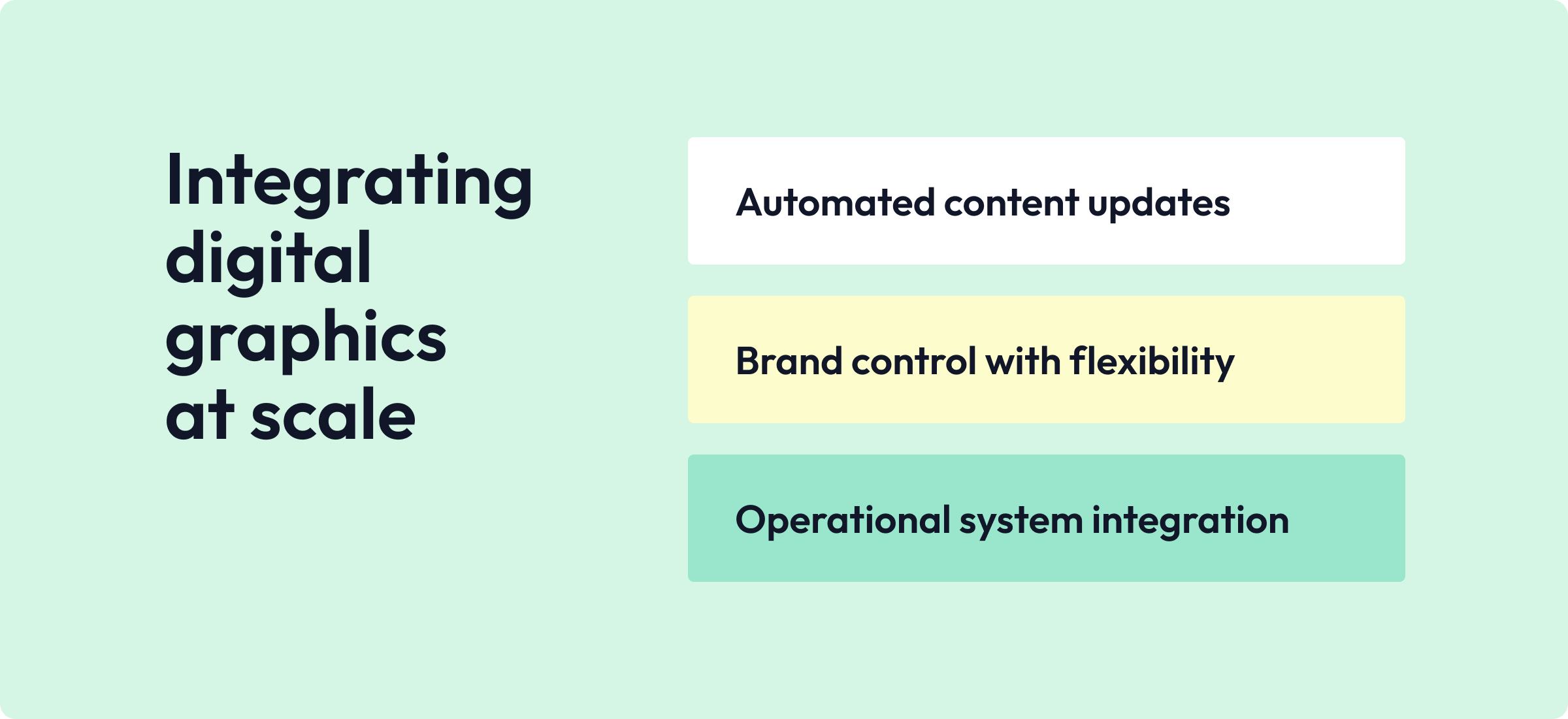
That’s exactly why digital signage integrations are so valuable. Connect your digital signage platform to the systems you already use, and your content stays accurate without constant manual effort. Screens become more reliable, and your team spends less time chasing updates. This is also where the question shifts from “What can this screen show?” to “How does digital signage integrate with other systems?”
What a digital signage integration actually is
A digital signage integration is a connection between your digital signage software and another tool or system, so content can be created, updated or published automatically. The best digital signage solutions offer user-friendly interfaces, making it easier for teams to manage these integrations themselves.
Some integrations are simple and visual, like pulling content from a shared folder or connecting Google Slides to a screen layout. Others are more operational, like a KPI integration that keeps pricing or promotions up to date on in-store screens. The result is the same either way: less manual work, fewer errors, and more consistent messaging.
Solutions for integrating digital graphics into multi-location signage
A useful way to think about integrations is to group them by the problem they solve. A comprehensive digital signage solution should offer an open API, so you can connect it to the systems you already use today. Many digital signage solutions also come with ready-made integrations you can activate yourself.
1. “We need to keep screens updated without manual work”
This is the most common request we hear from customers. They want an easy way to pull information from their intranet, shared documents, calendars and more. A few examples:
- Calendars and event scheduling tools
- Real-time data dashboards
- RSS or news feeds
- Inventory management data
2. “We need brand consistency, but local teams need flexibility”
These integrations connect digital signage to operational systems. A few examples:
- KPIs from Power BI or other analytics tools
- Staff or shift scheduling systems
- Service desk or incident management systems
- Logistics and queue management systems
Creating uniform brand standards and establishing clear brand guidelines helps maintain a unified look and feel across all locations. Using standardized design templates can greatly streamline the production and installation of signage across multiple locations.
This is where the question often becomes: how brand management platforms integrate with digital signage.
A practical approach is to keep core assets and templates centrally managed, then allow local teams to publish within that framework. You protect brand recognition while still staying relevant in different locations. Allowing controlled local adaptations can also make your brand more relatable to individual communities.
3. “We need screens to reflect what is happening in the business”
These are integrations that connect signage to operational systems.
Examples:
- KPI integration for digital signage
- staffing or shift systems
- service desk or incident systems
- logistics and queue systems
Which digital signage software integrates with existing IT infrastructure?
This is one of the most important questions, especially for larger organizations. The honest answer: not every platform integrates equally well, and not every integration option is equally useful. To evaluate which digital signage software fits your existing IT infrastructure, look for:
- Support for common identity and access models
- Compatibility with your operating systems and devices
- Documented integration options (native apps, APIs or connectors)
- Centralized control over user roles and publishing rights
- Remote management and monitoring capabilities
Keep in mind that some solutions, especially open-source ones, can require significant technical expertise to deploy and maintain. It’s also worth considering how your IT team wants the system to behave:
- Does it work on segmented networks?
- Can it run in high-traffic areas without becoming a security risk?
- Does it support remote diagnostics for devices across different locations?
For multi-location rollouts, this matters just as much as features do.
A practical map of digital signage integrations
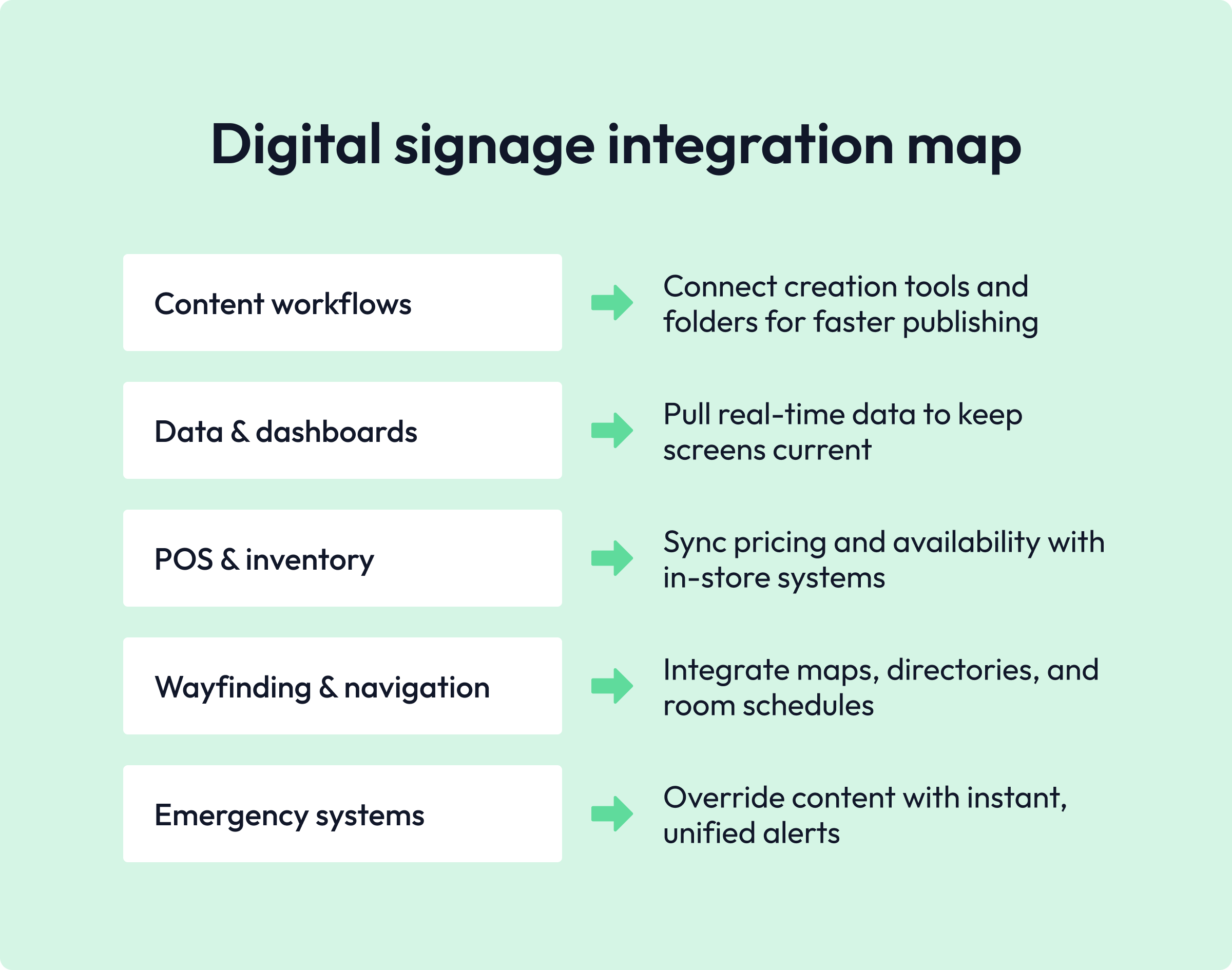
Multimedia content, including images, videos and interactive elements, is at the heart of digital signage. Digital signage content can include text, images, videos and interactive elements to engage your audience. Here are the most common integration categories, along with examples of what they enable.
Content creation and file-based workflows
These integrations make publishing faster for communication teams.
- Shared drives and folders for images and videos
- Presentation tools like Google Slides, PowerPoint, Word and more
- Intranet connections
- Social media feeds
Data and dashboards
For when you want screens to show real-time updates.
- Power BI or other analytics tools
- Reporting tools
Dashboards tend to be popular in corporate settings, while retail and operational environments more often use real-time data to streamline operations and reduce friction.
POS and inventory management
This is where signage connects to what’s actually happening in-store. A POS integration for digital signage can support:
- Promotions and pricing
- Product availability
- Location-specific offers
- Time-sensitive campaigns
Wayfinding and visitor experiences
For when you need to show people the way and clarify where to go. Integrations here can include:
- Wayfinding solutions
- Interactive maps
- Meeting room schedules
- Building directories
Emergency and safety systems
Emergency alerts are a critical use case for digital signage.
- Alerts can automatically override other content
- Screens display consistent instructions across multiple locations
- Communication becomes more unified and immediate
Building a digital signage network
Building an effective digital signage network starts with a clear plan. Start by defining your goals: What messages do you want to share? Who’s your audience? What outcomes are you aiming for? Greater customer engagement, improved operational efficiency, or increased sales?
Once your goals are set, choose the right digital signage hardware and software. This means selecting displays that suit your environment, along with a content management system robust enough to organize and schedule your messaging. Scalability and usability are essential, especially if you’re planning to expand your screens across multiple locations.
Digital signage hardware and connectivity
Hardware and connectivity are a key part of any digital signage rollout. Digital signage hardware includes displays, such as LED screens for outdoor use and LCD panels for indoor clarity, plus media players that store and deliver your content. The right hardware depends on your content needs, the physical environment, and your budget.
Most modern displays come with built-in support for digital signage. That said, many vendors also offer their own media players to push content to screens. Media players come in different forms, from compact Android-based devices to Windows-based ones, each offering different levels of performance and compatibility. When it comes to connectivity, options range from wired Ethernet for maximum reliability to wireless solutions like Wi-Fi or 4G/5G for locations where running cables isn’t practical.
Integrating CMS content with IoT and digital signage
Integrations aren’t just about pulling content from traditional systems. They also connect signage to devices and physical environments. Integrating your content with IoT and digital signage displays is useful whenever physical events should change what’s shown, for example:
- Occupancy sensors that trigger messages in meeting areas
- Queue sensors that update instructions in service zones
- Environmental sensors that update screens in real time
- Access control events that trigger visitor messages
This is where screens become responsive communication tools rather than static displays.
How PLAYipp supports digital signage integration
PLAYipp is built to help communication teams manage content across multiple locations without needing IT support every step of the way. The platform is focused on usability and control, supporting structured publishing, role-based access, and integrations that cut down on manual work.
PLAYipp offers more than 30 purpose-built digital signage integrations, including Microsoft, OneDrive, popular intranets, Power BI, and many more.
Final thoughts and next step
Digital signage integrations are usually what makes updating content across multiple locations sustainable. When screens connect to your existing systems, content stays accurate, operations run more smoothly, and you spend less time updating screens and more time actually communicating.
If you want to see how PLAYipp fits into your existing tools and workflows, the next step is to book a demo with us. We’d love to talk.
How does digital signage integrate with other systems?
Digital signage integrates through connectors, apps, and APIs that pull data or content from existing systems like calendars, dashboards, intranets, POS, and inventory tools.
Which digital signage software integrates with existing IT infrastructure?
Look for a platform that supports standard identity and access models, works across your operating systems, offers documented integration options, and supports centralized management across locations. Like PLAYipp!
What is a digital signage system integrator?
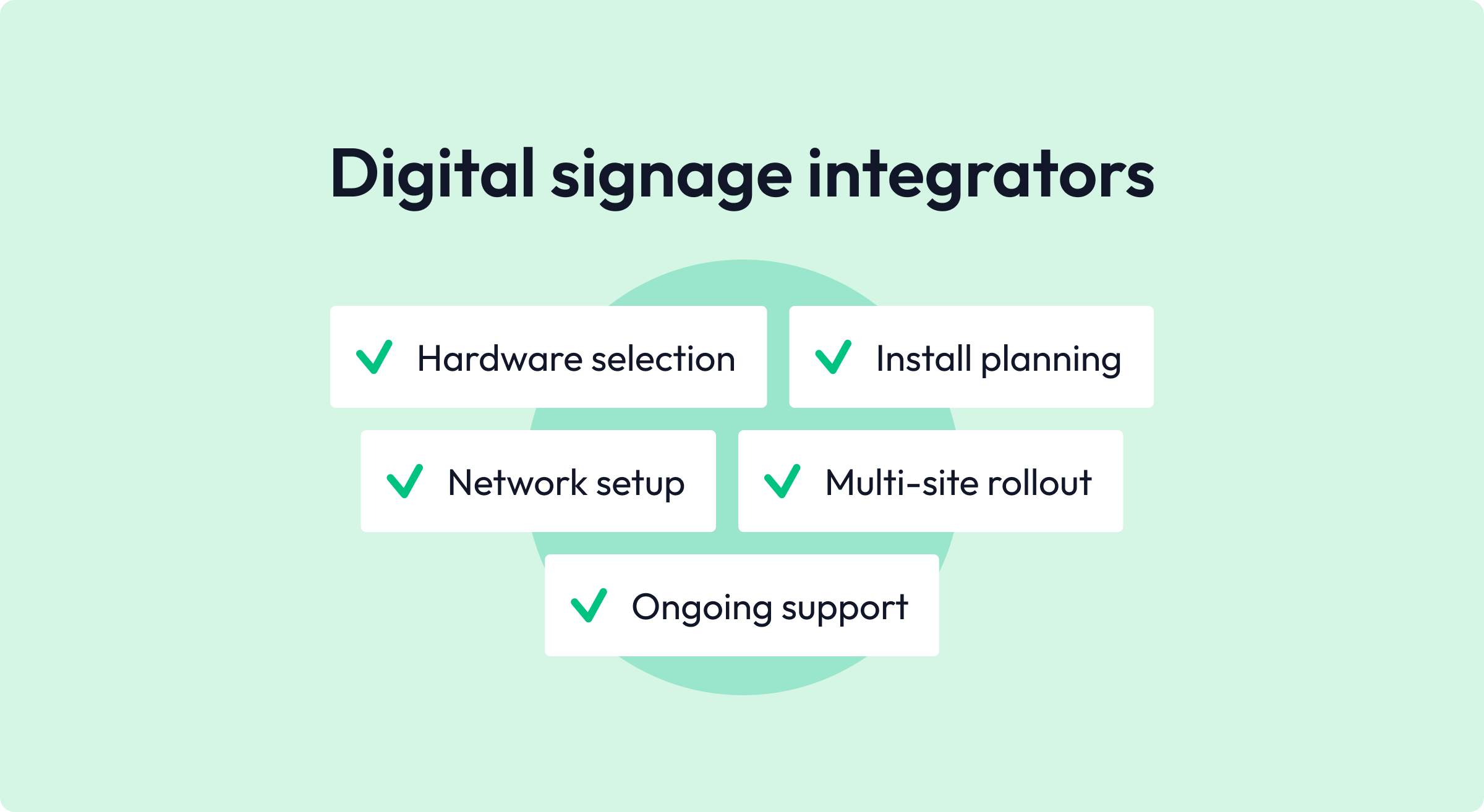
A digital signage system integrator helps plan and deploy screens across sites, including hardware selection, installation, network setup, and ongoing support.
Can you integrate CMS content with IoT and digital signage?
Yes. IoT and CMS integrations can trigger screen updates based on real-world conditions, such as occupancy, queues, or sensor data.
About the author



 Login
Login