
 Support
 Login
Login

 English
 Svenska
 Norsk
Norsk Nederlands
Show news and updates with RSS integration for digital signage

With our RSS integration, you can pull in news, blog posts or other updates from an RSS feed and display them directly on your digital screens. Everything updates automatically as soon as new content is published. No copy-paste or double work. Always up to date.
- Latest news at the office
- Blog posts in the breakroom
- Updates from the intranet in the entrance
Curious to know more? Book a demo, and we’ll tell you everything you need to know—and more.
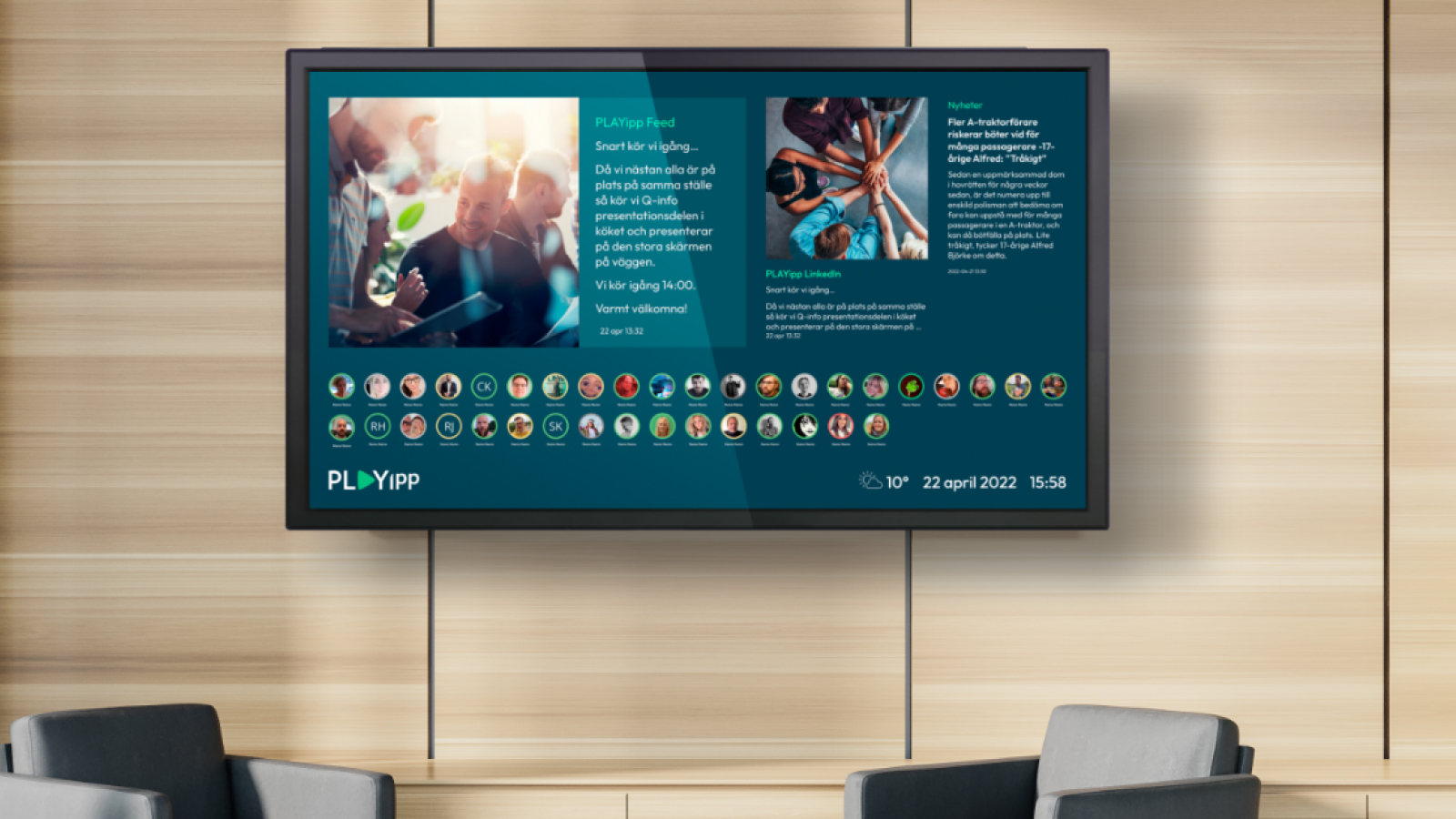
Make important information visible, automatically
Whether you want to display internal updates from your intranet or public posts from a website, RSS makes it easy. Choose a feed, decide how it should look and let PLAYipp handle the rest.
The content appears automatically on the screen, right where people are. In the hallway, lunchroom or at the reception. Always relevant. Always visible.


What is RSS?
RSS stands for Really Simple Syndication. It is a smart and standardized way to share content across platforms. The content comes from an RSS feed, a small web address that updates automatically every time something new is published.
With RSS in PLAYipp, you can show content from for example:
- Your intranet
- News websites
- Blogs
- Information portals
- Event calendars
Benefits of using RSS in PLAYipp

As soon as new content is published, it appears on the screen. You don’t need to do anything.

Paste in an RSS link and choose how it should look. Ready in minutes.

Show different feeds on different screens. Customize by department, location or audience.
Common ways to use RSS and digital screens
Internal news in the hallway
Display the latest updates from the intranet where people pass by.
Blog content in waiting areas
Keep customers or visitors up to date with fresh content from your website.
Press releases at the reception
Show PR updates and news in the entrance. A professional first impression.
Screens in staff rooms
Share inspiration, updates or announcements from across the organization.


Frequently asked questions about RSS and digital info screens
What does it cost to use RSS in PLAYipp?
It is included in your PLAYipp subscription. You just need an RSS feed to connect.
What types of RSS feeds can I use?
You can use any publicly available RSS feed, for example from an intranet, website, news portal or blog.
How often is the content updated?
PLAYipp checks the feed regularly and displays the latest content automatically.
Can I customize the appearance?
Yes, you can choose from different templates and adjust the design to match your brand.
Can I have different RSS feeds on different screens?
Yes. You can set up multiple RSS widgets and show different content on different screens.
 Login
Login