
 Support
 Login
Login

 English
 Svenska
 Norsk
Norsk Nederlands
Google Calendar integration for digital signage

Display your Google calendars, meetings and resource bookings directly on your digital signage screens. With our integration, you can easily connect your calendar without any coding skills. Show exactly the right information, in the right place, at the right time.
Curious to know more? Book a demo, and we’ll tell you everything you need to know—and more.
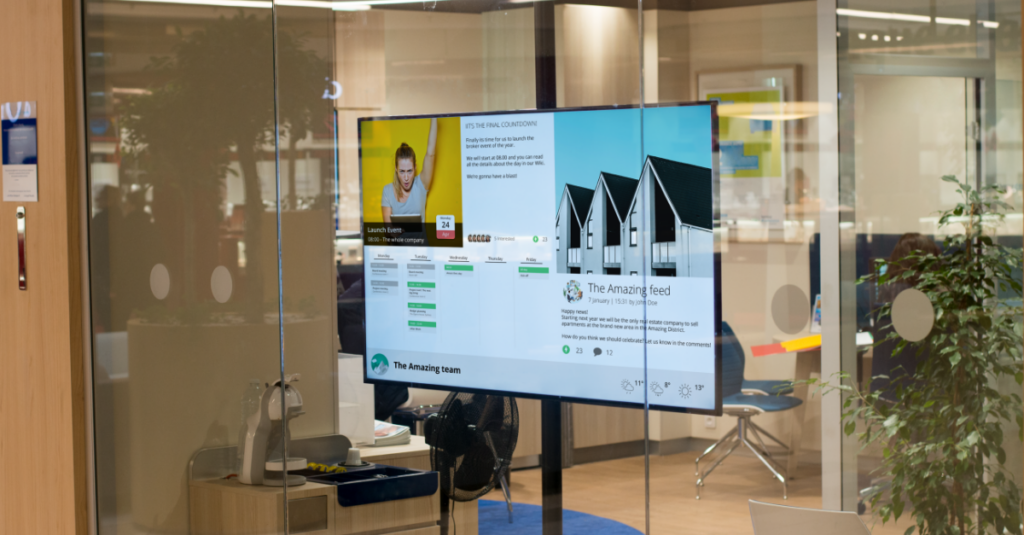
Make your calendar visible to everyone
Many meetings and bookings end up hidden in inboxes or calendar systems that not everyone can access. By displaying Google Calendar content on screens in shared areas, such as outside meeting rooms or in staff spaces, more people can stay informed instantly and effortlessly.


What is Google Calendar?
Google Calendar is a digital calendar tool from Google. It helps you plan and keep track of meetings, reminders, and events. You can easily invite others, sync with other apps, and have everything in one place – both on your computer and phone.
How the integration works
You choose which calendars to display, for example team calendars or meeting room bookings. Then you log in with your Google account and approve access. Events from your calendar will be shown as a clear widget that you can place anywhere in your screen layout.
Benefits of displaying calendars on digital screens

No one misses meetings or events. The calendar is always visible to the right audience – right on the screen in the break room, lobby, or reception area.
When someone updates the Teams calendar, it shows instantly on the screen. No need for double work, and you can trust the info is always current.

Instead of people asking “What’s happening today?” they get the answer right on the screen. Simple, clear, and smooth for everyone.
How to get started
- Go to Integrations in PLAYipp and select Google Calendar
- Click “Add to PLAYipp” and sign in with your Google account
- Approve the required permissions
- Click “Add source” to add your calendar as a widget


Common questions about Google Calendar and digital signage
How do I display a Google Calendar on a digital screen?
Log in to PLAYipp with your Google account and select which calendar or calendars you want to display. The content syncs automatically and appears on the screens you have selected. Read more here
Can I display multiple Google calendars on one screen?
Yes. You can show several calendars at the same time. For example, combine team calendars, meeting rooms and personal bookings in the same view, or use separate widgets to distribute the information.
Do calendar events update automatically on the screen?
Yes. As soon as a change is made in the calendar, the screen content updates automatically. Most updates appear within a few minutes, with no manual effort required.
Does the integration work for meeting room displays?
Yes. The integration is perfect for showing current bookings directly outside meeting rooms. You can see what is booked now, what’s next and when the room is free.
Do I need technical skills or coding to display the calendar on screen?
Nope. Just log in to PLAYipp with your Google account, select your calendar and publish. It is simple, code-free and designed to get you up and running quickly. Read more here
 Login
Login